
Can You Game on Starlink? A Hands-On Guide for Casual and Competitive Players


Andreas Rivera
Nov 05, 2026
Icon Time To Read5 min read

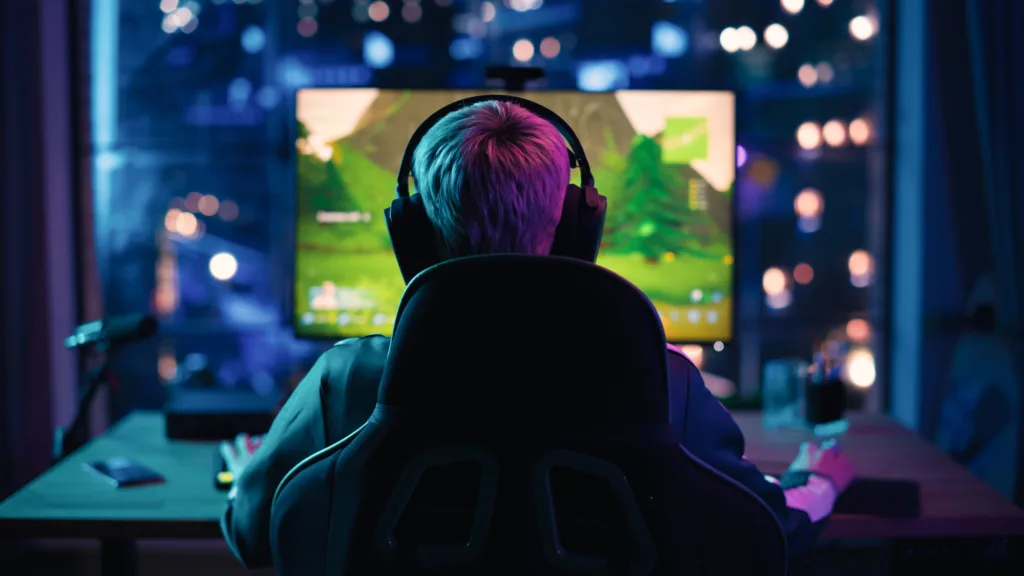
Online competitive gaming is more accessible than ever, even for players in rural areas or those who travel frequently. | Image by depositimage

Online gaming over satellite internet is complicated, but thankfully Starlink makes it less complicated and now more than doable from nearly anywhere, whether it's at a summer cabin or on a long road trip. With unlimited data and great download speeds, downloading games with Starlink is easy, but the true test is real-time online gaming.

I know I should be enjoying the great outdoors on a camping trip, but consoles like the Nintendo Switch 2 and Steam Deck make it hard to resist taking my online games with me and popping in for a few matches. A Starlink connection let me get online for some Super Mario Kart World races and keep up with the latest season of Fortnite. With the Standard Starlink and Starlink Mini, I could do it at my family cabin and during a weekend camping trip in the woods.

I've tested Starlink for years in different locations and experienced changes to the satellite internet service with its new plans and evolving technology. I also contacted industry experts on the best ways to get the most out of your gaming while on Starlink.

Can you game on Starlink?

Yes, I've done it multiple times, and online communities of rural gamers do it all the time. For many gamers in rural parts of the country, Starlink is the only viable way to get online with friends and foes alike. The key is Starlink's extremely low latency granted by its low-Earth orbit (LEO) satellite constellation. Gaming ping is the way a game server measures a user's latency and how fast their inputs will carry over into the live game, measured in milliseconds. 

Legacy satellite internet providers like Hughesnet and Viasat use geostationary satellites, which orbit much farther from the planet, making their high-latency connections nearly impossible for most online games.

Connection type
Download speeds
Latency

Fiber

50–2,000+ Mbps

8–15 ms

Cable

15–1,000 Mbps

18–40 ms

Fixed 5G

20–400 Mbps

30–75 ms

LEO Satellite (Starlink)

20–400 Mbps

20–50 ms

GEO Satellite (Legacy)

12–100 Mbps

600–700+ ms

Gaming while connected to these providers isn't completely out of the question; in fact, I've also been able to get online a few times while testing Viasat. However, performance and the overall experience degrade, especially for games that require fast reaction time, like first-person shooters. Games that don't require those fast reactions, like turn-based strategy games, are less frustrating to play.

Starlink plans and pricing

Plan
Price
Download Speed
Latency
Equipment fee
Residential 100 Mbps*$55/mo.Up to 100Mbps30—40ms$349 or free rental
Residential 200 Mbps*$85/mo.Up to 200Mbps30—40ms$349 or free rental
Residential MAX$130/mo.Up to 400Mbps30—40ms$349 or free rental
Roam 100 GB$55/mo.Up to 260Mbps<99ms$149–$349
Roam 300 GB$80/mo.Up to 260Mbps<99ms$149–$349
Roam Unlimited$175/mo.Up to 260Mbps<99ms$149–$349

Top speeds not guaranteed during peak hours
*Plan not available in all regions

My experience gaming on Starlink

Besides latency and download speed, many factors affect the online gaming experience. I'm admittedly a more casual gamer, so measurements like in-game ping, jitter, and packet loss aren't usually top of mind. I'd rather set it and forget it, and thankfully that's one of the things Starlink does best. 

It's also rare that I get speed test results that align with what a provider actually advertises. My fastest tests hit up to 300 Mbps, with as low as 20 ms of ping, on the Standard Starlink dish with a Residential Unlimited (now called Max) plan. Everything you need for just about any online game. I had zero trouble joining lobbies and getting into games. I tried multiplayer games from several genres, including first-person shooters, racing, and fighting games, the kind that require fast inputs to win. It was nearly indistinguishable from playing at home on my fiber connection.   

What if I want to take my gaming even further off the beaten path? I decided to take my Switch 2 with Starlink Mini on a brief camping trip with friends. The Starlink Mini is even more portable, though the hardware's performance and lower-priority Roam plan meant I may not get the same experience as my Standard dish. Still, the Mini, hooked into a portable power source, connected easily to the Starlink network. My friends were impressed that I could get in a round of Mario Kart in the middle of the woods, until they had to drag me away for a hike.

For the hardcore gaming crowd, ways to optimize for the best game possible

While my experience as a casual gamer was relatively smooth, players who take performance seriously, possibly even in a competitive environment, may find that Starlink presents some limitations when compared to hardwired connections like fiber. However, you can optimize it in a few easy ways to keep your gaming experience uninterrupted, consistent, and fast.

Networking expert Deke Kotrla, who runs a Starlink rental business, said Starlink won't achieve the same ping performance as cable or fiber, but it comes close, and that gamers use a few tricks in their setup, like a third-party router connected via Starlink's bypass mode.

"A technically advanced user could use a third-party router to do something called QoS (Quality of Service), where the router prioritizes game traffic over other traffic, and that would help if there was a lot of other traffic on the network," Kotrla wrote. 

Kotrla said it makes just a small difference, but running a direct Ethernet connection from your Starlink router to your computer or console can cut down on a few milliseconds of ping. For those half-second snap reactions, even a fraction of a second less time between a mouse click and your character's move could mean the difference between victory and defeat.

More tips to optimize your Starlink for gaming

  • As Kotrla mentioned, hardwire everything
  • Use the Starlink app's obstruction map to position your dish for as little interference as possible
  • If your online game allows you to chose public servers, pick the closest one to your region
  • If you have a busy household with multiple users or downloads in the background, set up a QoS feature in a third-party router (just ask permission first)
  • Evenings are typically the peak of internet usage for Starlink, so scheduling gaming sessions to account for this time can help

Starlink and CGNAT: Public IP vs Private IP

Gamers who know their networking know about network address translation (NAT). It's how devices like consoles and PCs connect to the internet, using a public IP address or a private IP address. For gaming, if you want to host lobbies or private game servers (for example, a private Minecraft server for friends and family), you need a public IP address to accept incoming traffic with minimal disruption.

This is for advanced, more niche use cases, but it's worth mentioning that Starlink's basic plans use Carrier-Grade NAT (CGNAT), which connects you through a shared private IP address. To use a public IP address with Starlink, you need a Priority or Business plan. It costs more, but it lets you use a public IP address, which many online businesses require.

How do other rural internet options compare?

Satellite isn't the only option for gamers living in rural areas. Fixed-wireless and 5G home internet providers also offer high-speed options when wired connections aren't available. Another provider I've tested is T-Mobile 5G Home Internet. According to T-Mobile, typical latency is 16–28 ms, but I got about 40-60 ms when I tested from my location. It's not bad, and I didn't experience any issues, but it'd probably be too much for more advanced gamers. Since 5G performance depends on your proximity to the carrier's network, mileage will vary depending on where you live. 

Is Starlink the way to go for gaming?

Of all the satellite internet options, Starlink is really the only way to do real-time, fast-paced online gaming. Its drawbacks among rural internet providers include cost, depending on your plan. Heavy tree cover and weather can also put a damper on performance. However, it's a clear leap in technology for rural gamers everywhere when hard-wired internet is an impossibility.

Andreas Rivera
Written by
Andreas Rivera is a lifelong writer with a decade-spanning career in journalism and marketing. He comes to SatelliteInternet.com with several years of experience writing about business and technology. His passion for researching the latest advancements in tech, especially the now essential need for reliable internet access, fuels his goal of educating others about how these innovations affect and improve our everyday lives. When not researching and writing about SatelliteInternet.com, you’ll likely find him buried in a good book or enjoying the great outdoors with a fishing rod.