

The Starlink Mini reigns as the best solution for portable, high-speed internet. It fits perfectly in my backpack next to my laptop and weighs just over two and a half pounds. The built-in Wi-Fi router makes it highly convenient for setting up a mobile office on the fly. However, a primary obstacle I encountered during testing was the power situation. Finding a standard wall outlet out in nature is incredibly tough, meaning you need a solid plan to keep your connection alive.
How to Power the Starlink Mini for Ultimate Off the Grid Internet

 4 min read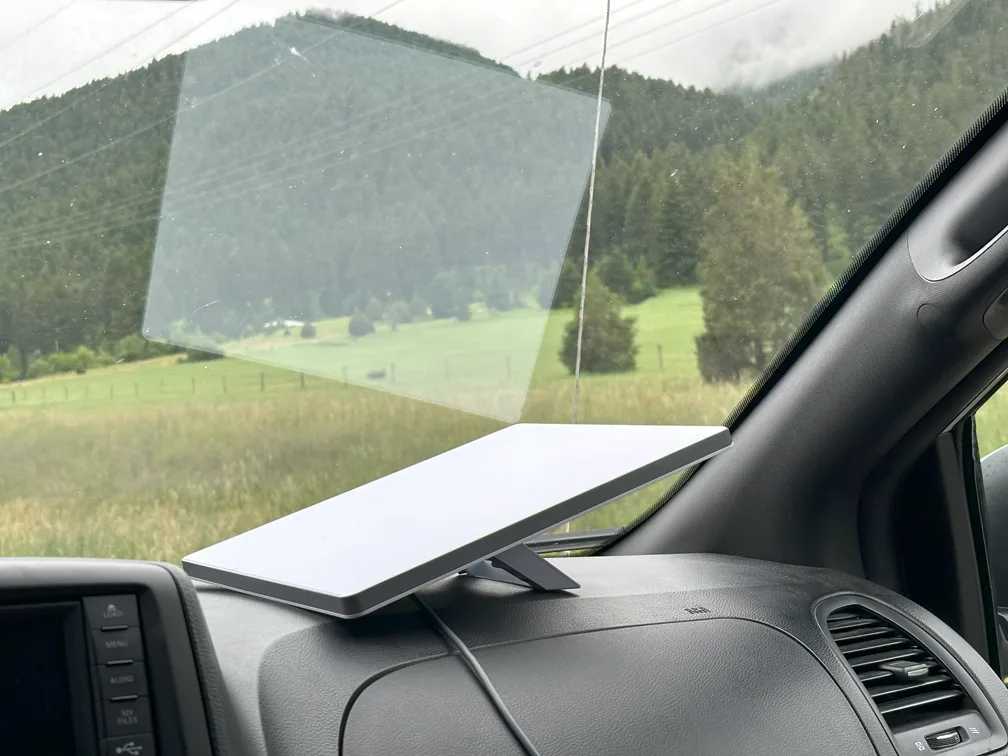
The Starlink Mini is an efficient solution for connecting to the web while on the road and can be powered by your vehicle's 12V to 24V auxiliary outlet. | Photo by Morgan McDougal for SatelliteInternet.com
Using Portable Power Banks
The base kit comes with a 50-foot direct current cable and a standard power supply. This long cable adds extra weight and can be cumbersome to travel with. For true portability, a high-capacity power bank is the best solution. The dish requires a 100W power source functioning at 20V and 5A. You must ensure your portable battery meets this exact requirement.
Look for power banks specifically designed to charge laptops rather than just smaller mobile devices. I found great success with the Anker 737 Power Bank, which provided about 3 hours of active use. I strongly recommend getting a power bank that displays real-time power statistics so you never lose connection unexpectedly.
Beyond standard laptop chargers, the market is quickly filling with third-party battery accessories made specifically for the Starlink Mini. These custom solutions often clip directly onto the back of the dish or act as a specialized base. They eliminate the need for dangling cables and create a seamless, all-in-one unit. While these dedicated batteries are incredibly convenient for hiking and remote work, you should carefully check their wattage and capacity specs to ensure they meet your daily data needs.
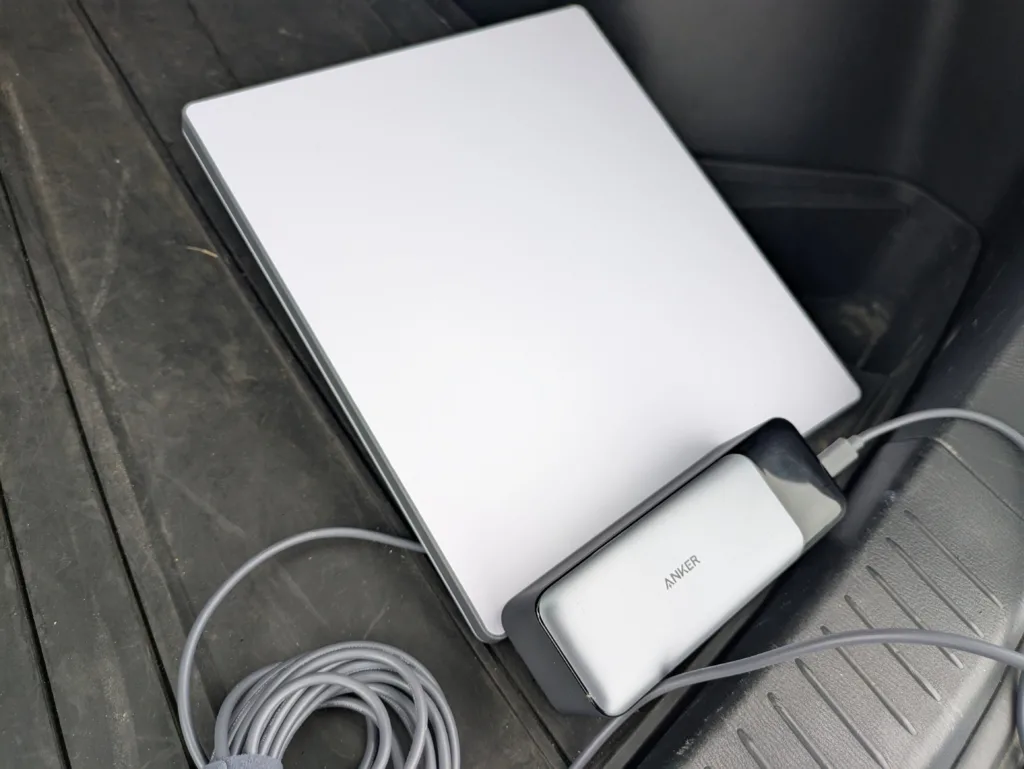
The Starlink Mini sustains a reliable connection even while you're moving. Just make sure you're the passenger when you're working from the freeway. | Photo by Morgan McDougal for SatelliteInternet.com
One of the most compelling reasons to choose the Starlink Mini for off-grid travel is its incredible power efficiency. Compared with the Standard Starlink dishes, the energy savings are profound. The current Gen 3 Standard dish typically consumes between 75 and 100 watts during active use. Even the older Gen 2 Standard dish draws about 50-75 watts continuously.
In stark contrast, the Starlink Mini operates at a mere 20 to 40 watts during active use and drops to about 15 watts when idle. This means the Mini consumes roughly one-third as much power as its larger counterpart. For a digital nomad relying on a portable battery or solar generator, this seemingly modest difference translates to massive energy savings over a full day of remote work.
Because the Mini sips power, you can run it for much longer periods without draining your battery bank. It also means you can rely on a smaller, lighter, and more affordable solar array to keep your system topped off. Just keep in mind that heavy data usage or activating the built-in snow-melt feature will temporarily spike power consumption. Overall, the Mini is a total game-changer for off-grid power management.
The Truth About Third Party Cables
For most portable power banks, you will need a USB-C power cable. Starlink does not include this in the standard kit, but you can purchase an official 16-foot cable directly from the company. You might be tempted to buy a third-party cable online to save some money. While these alternative cables are often cheaper, they are absolutely not guaranteed to work. The Mini requires a very specific power delivery profile to maintain a satellite connection. A generic cable might fail to deliver the necessary wattage, leaving you stranded in the backcountry without internet access.
Powering Up in Your Vehicle
The Starlink Mini sustains a reliable connection even while you are moving at speeds under 100 miles per hour. If you want to work from the road, you can plug the dish directly into your car. Starlink sells an optional Mini Car Adaptor for an extra $45. This accessory plugs right into your vehicle's 12V to 24V auxiliary outlet, commonly known as the cigarette lighter. It is perfect for long drives and conveniently includes the essential USB-C power cable.
Harnessing the Sun with Solar Panels
For extended trips into the wilderness, you will need a way to recharge your power bank. Portable solar panels are an excellent companion for the Starlink Mini. By connecting a solar panel to your high-capacity battery, you can create a self-sustaining power loop. Just ensure your solar setup provides enough wattage to exceed the dish's continuous power draw. A reliable solar generator setup allows digital nomads to stay online indefinitely as long as the sun is shining.
Choosing the Right Data Plan
Plans | Monthly Price | Download Speed | Data | |
| $50/mo.* | Up to 300 Mbps | 100GB | View plans | |
| $165/mo.* | Up to 300 Mbps | Unlimited | View plans |

*
Plus hardware, shipping & handling fees, and tax. Fully refundable. Depending on location, some orders may take 2 weeks or more to fulfill.
Once your power is sorted, you need a data plan. The Mini pairs exclusively with Starlink Roam plans. The Roam 100GB plan costs $50 per month, making it ideal for short weekend trips. Full-time road warriors might prefer the Roam Unlimited plan at $165 per month. For absolute emergencies where you just need to send texts or make voice calls, you can put your account on Standby Mode. For $5 per month, it provides a slow 0.5 Mbps connection.
FAQ
You need a high-capacity portable power bank that supports a 100W output at exactly 20V and 5A. Power banks designed for charging laptops usually fit these specifications best.
Yes, provided you have a solar panel linked to a compatible 100W power bank. The solar panel will charge the battery while the battery simultaneously powers the dish.
Yes, you can power it from your vehicle using the official Starlink Mini Car Adaptor. This adapter plugs right into your car's auxiliary power outlet and is great for long road trips.
The Mini dish costs $249 upfront. You will also need to subscribe to a monthly Roam plan. The service costs $50 for 100GB of data or $165 for unlimited data.

 Your Privacy Choices