How to Sell or Buy a Used Starlink Kit in 2026: A Step-by-Step Guide


Andreas Rivera
Jan 07, 2026
Icon Time To Read5 min read

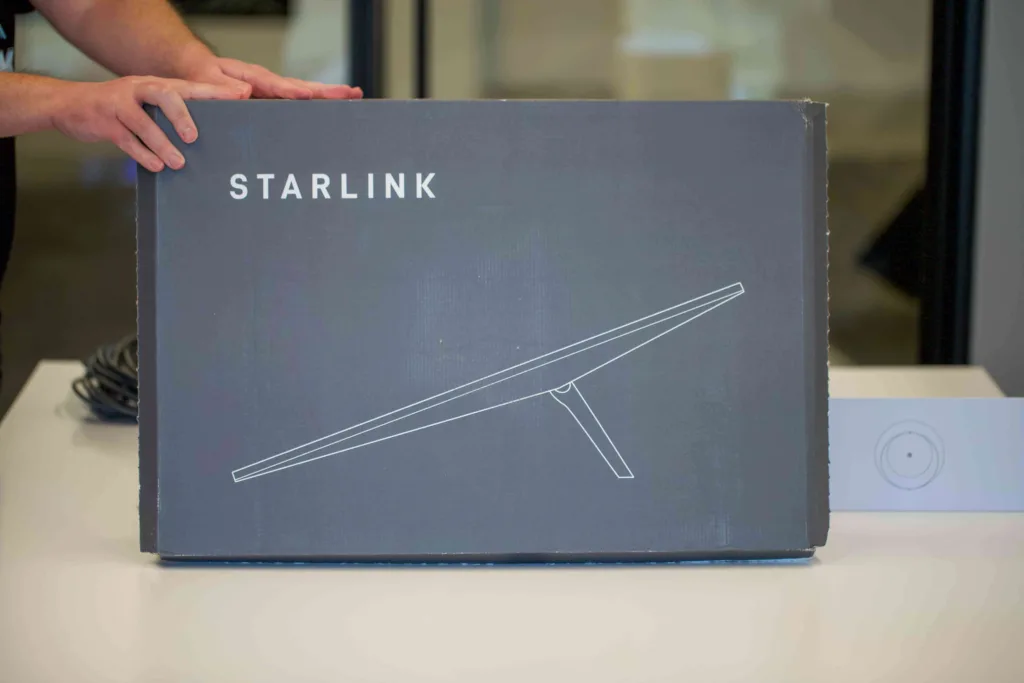
Plenty of used Starlink kits end up on the secondhand market. It's a way for people interested in satellite internet to save money since the kits are expensive. | Image by Allaina Jefferys, SatelliteInternet.com

It’s simple to buy or sell a used Starlink kit, but there are a few steps you need to follow. One thing that sets Starlink apart from any other satellite internet provider is that its hardware is transferable to a different owner. Customers can sell their equipment when they no longer need it to recoup their investment, which is excellent for people who want a Starlink kit but want to save money by buying one used.

I decided to swap out my Standard Starlink dish for the Starlink Mini since I mainly use it seasonally and would like to take it with me when traveling. A friend of mine was willing to trade.

Giving a Starlink kit to another user isn’t as simple as handing it over. You need to follow these instructions to transfer the kit; otherwise, it won’t work, and the recipient will be stuck with inoperable Starlink equipment. 

Icon Check  Light
Important Info To Know Before Transferring a Starlink Dish:
  • You can transfer a Starlink kit only 120 days after purchase or 90 days after activation.
  • You must zero balance on your account.
  • It’s also essential to perform a factory reset on the router. I was surprised to find that transferring a kit didn’t automatically reset the router, and it retained the Wi-Fi name and password my friend initially set up. Luckily, it’s easy to factory reset the router, even without the login information. Both the Starlink Standard Router and Mini have buttons on the back that you just have to hold down for six seconds to start the reset process. It will return to the default STARLINK Wi-Fi login and no password, which the buyer can change at any time.
  • Starlink prorates your bill when you sign up, but not when you cancel. So, if you don’t want to feel like you wasted a month of service, be sure to cancel and transfer near the end of your billing cycle.

How to Find Your Starlink Serial Number

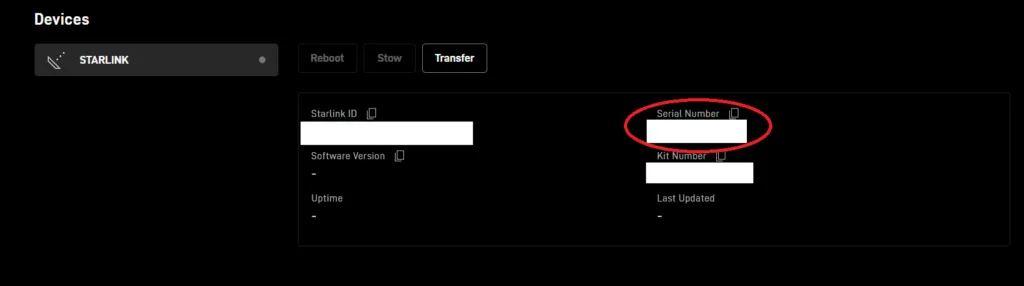
You must know your equipment's serial number or kit number. The recipient can only activate Starlink with this information, which is available in your account.

Find your Starlink dish’s serial number in your account by going to ‘Manage’ next to your dish | Screenshot from Starlink.com

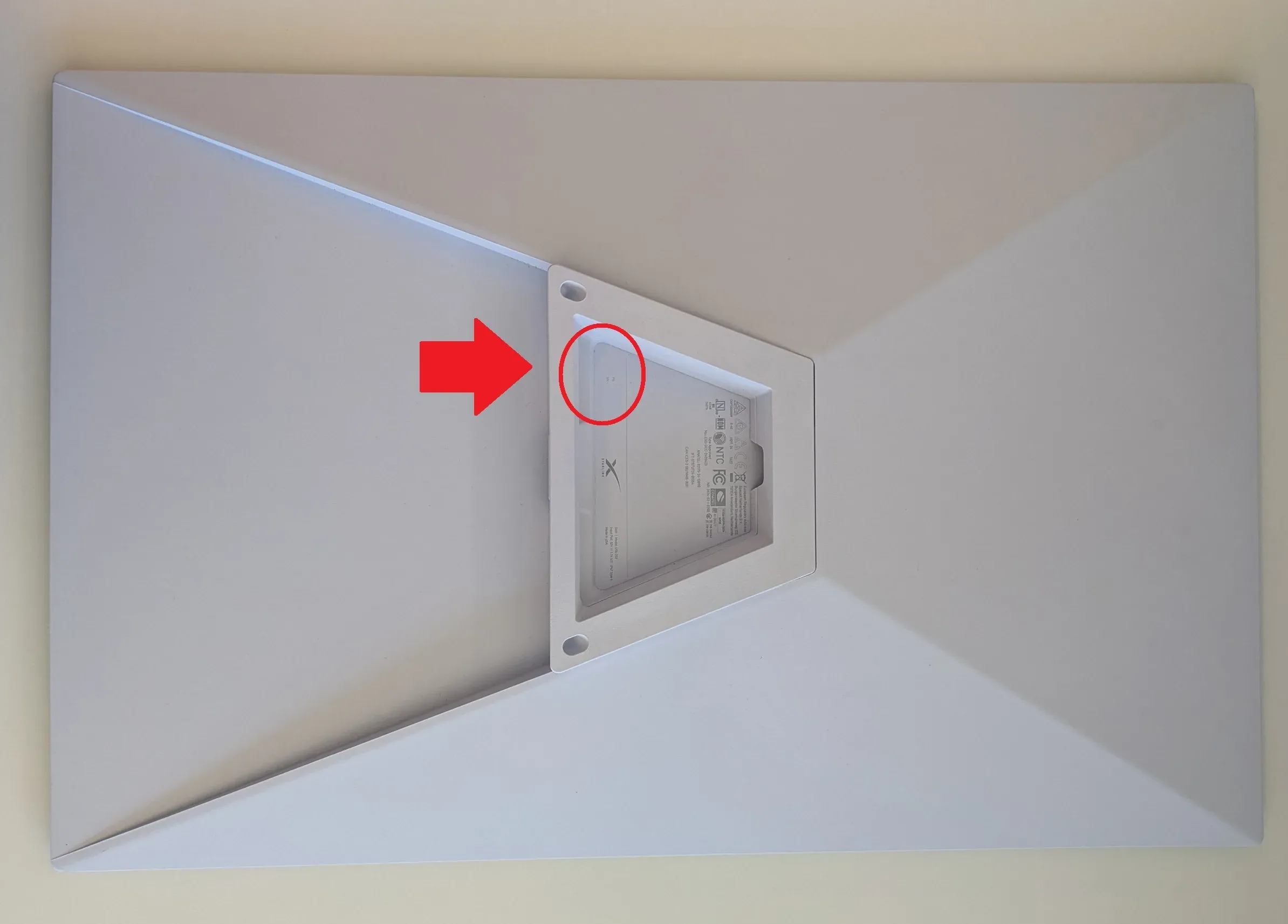
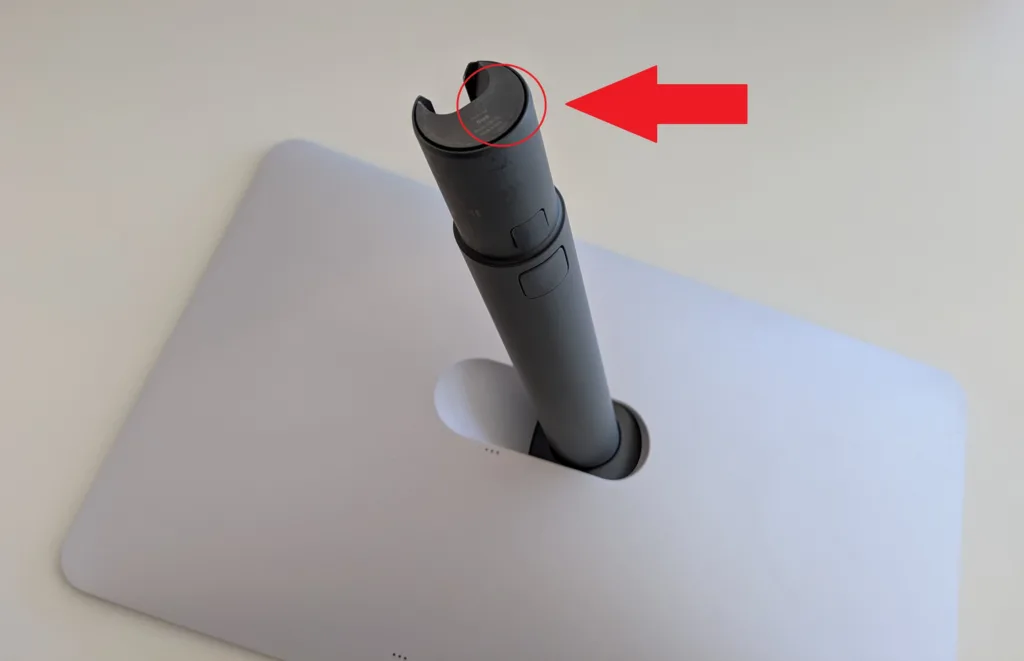
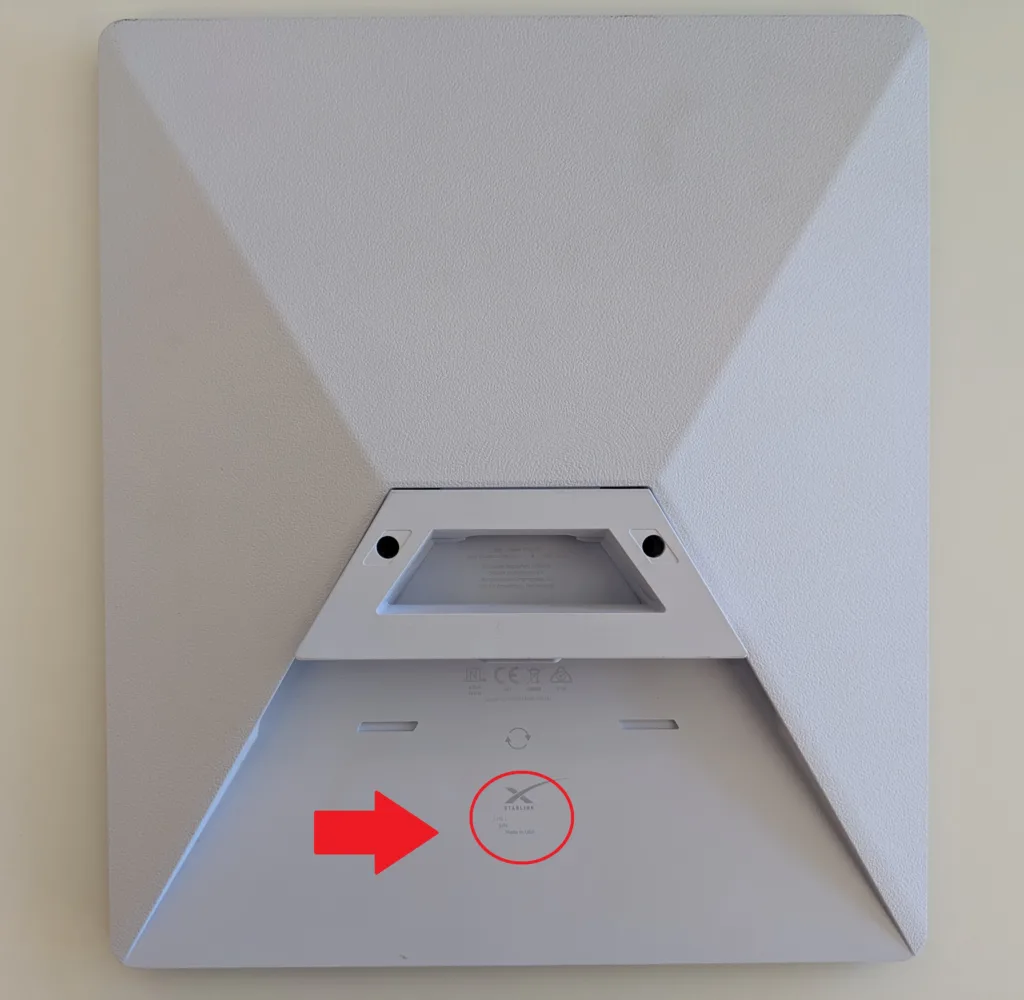
You can also find the dish serial number on the dish itself.

Starlink Standard - On the bottom side of the dish near the base of the kickstand.

Starlink Standard Actuated - On the bottom of the motorized stand.

Standard Mini - On the bottom side of the dish.

How to Transfer Your Starlink

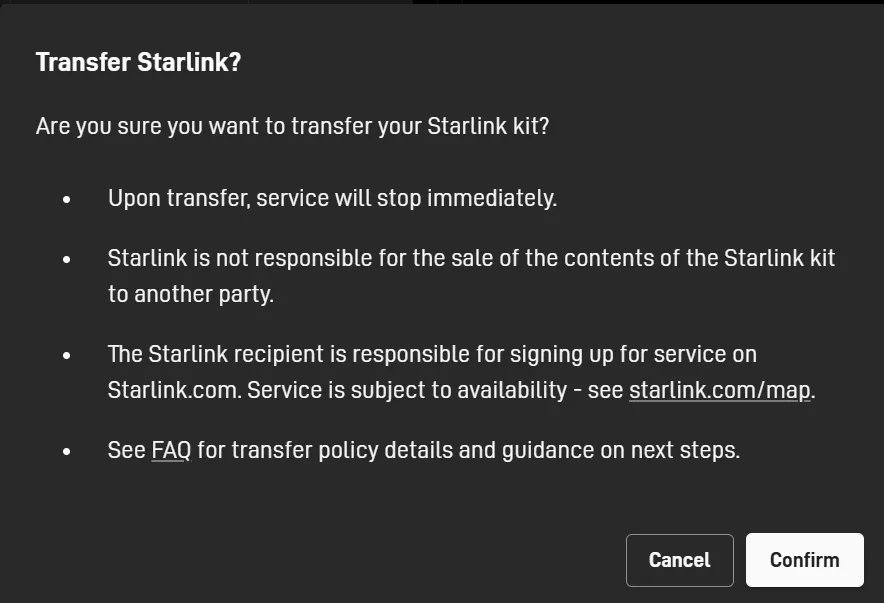
There’s no going back after transferring your Starlink equipment | Screenshot from Starlink.com

There are two main methods for transferring your Starlink to another user’s account. You can do it by sending an email link to the recipient after canceling or by canceling and giving them the Starlink dish serial number.

How to transfer your Starlink kit to another user with email

The first and easiest way to transfer is through the cancellation process. In your account, next to the dish, click on Manage. Think click Manage under where it says Service Plan. You’ll be prompted to give a reason for canceling your Starlink service plan. “I want to transfer my Starlink” is a selection and it will allow you to send an email to the recipient with instructions on activating their new Starlink.

How to cancel your Starlink and sell your kit when you don’t yet have a buyer

The second method is common when you want to cancel and sell your dish, but don’t yet have a buyer. Follow the same steps to cancel your service. Then, in the settings section, click Transfer. This will permanently remove the dish from your account. You’ll then need to provide your eventual buyer with the serial number. Sometimes the number can wear off the dish, so they’ll need the number from your account. 

Buying New vs. Buying Used Starlink

Buying a used Starlink can be a great way to save money, but it's important to compare prices before going that route. Besides taking on the risk of buying used electronics, you may live in a region where you'll actually end up paying more. When activating Starlink for residential use, new or used, certain regions require a congestion charge. It's Starlink's way of balancing network bandwidth in areas where Starlink is heavily used. Congestion charges can be $100, $500, or up to $1,000.

To find out if you'd need to pay a congestion charge, go to Starlink’s home page and enter your address. It will be revealed at checkout if there's an activation charge.

Conversely, you may live in an area where Starlink has excess bandwidth and sells its hardware and service at steep discounts, making it cheaper than what you'd find pre-owned online. Always check Starlink's website before buying used.

Starlink

Starlink plans and pricing

Plan
Price
Speed
Latency
Recommended Equipment fee
Starlink Residential$80.00—$120.00/mo.Up to 300Mbps30—40ms$349.00
Starlink Roam$50.00–$165.00/mo.Up to 260Mbps<99ms$299.00–$349.00
Starlink Local Priority$65.00–$540.00/mo.Up to 400Mbps30—40ms$349.00
Starlink Global Priority$250.00–$2,150.00/mo.Up to 400Mbps<99ms$1,999.00

How to Activate Your Used Starlink

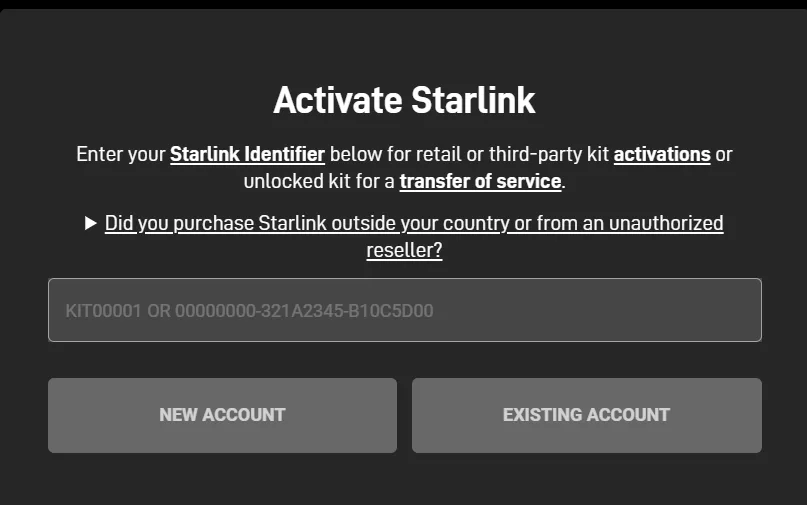
Either the dish Serial Number or Kit number, which is found on the original box, is needed to activate a preowned dish | Screenshot from Starlink.com

You’ve obtained a used Starlink, made sure you have all the equipment, and have the dish serial number. Here’s how to start using it. 

If your seller sent you the transfer email described above, you need only click the link and follow the instructions.

If you’re buying a dish second-hand and did not receive the activation email but still have the serial number, there’s a method for activating it. To start, go to starlink.com/activate. Then, enter the serial number or kit number and indicate if you need to create a new Starlink account. This is the same method used to activate a new kit that you buy from an authorized retailer like Best Buy.

Now you can set up your Starlink and get online from nearly anywhere.

How to Buy A Used Starlink and Make Sure it Works

Overall, the process of transferring Starlink equipment was simple, and it only took my friend and me a few minutes to trade our kits. However, the process will likely be different if you’re buying or selling to a complete stranger. 

Because of the expensive upfront cost of using Starlink, you may be hesitant to purchase one. Buying one used at a reduced price may feel less risky, but as with buying any electronics used, it comes with its own set of risks.

How to buy a used Starlink dish and ensure a smooth activation process

  • Establish good communication with the seller.
  • Ensure that both seller and buyer understand the steps of transferring kits.   
  • If possible, have the seller demonstrate that the equipment works and is undamaged.
  • Be extra cautious if the serial number on the device is scratched out or illegible. If you are not using the email method of transferring, make absolutely sure you trust the seller to give you the correct serial number. 

If you receive a kit that doesn’t work or you can’t activate it, Starlink isn’t responsible. Your only recourse is to contact Starlink’s customer service by submitting a ticket from your account or calling 1-866-606-5103 to see if they can assist you in activating the dish.

Andreas Rivera
Written by
Andreas Rivera is a lifelong writer with a decade-spanning career in journalism and marketing. He comes to SatelliteInternet.com with several years of experience writing about business and technology. His passion for researching the latest advancements in tech, especially the now essential need for reliable internet access, fuels his goal of educating others about how these innovations affect and improve our everyday lives. When not researching and writing about SatelliteInternet.com, you’ll likely find him buried in a good book or enjoying the great outdoors with a fishing rod.