

Starlink is an invaluable tool for your long road trips, allowing you and passengers to access high-speed internet while traveling. I tested the device myself, and its performance, convenience, and data options are better than any hotspot device I've used.
Can You Use Starlink Mini While Driving? We Tested It
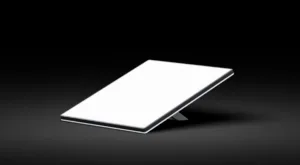
Starlink Mini

Starts at$199
- $55–$175/mo. for Starlink Roam
- Download speeds up to 260Mbps
- Works while driving
- Built-in Wi-Fi router

 5 min read
The Starlink Mini delivers high-speed internet while you're on the move, making it the perfect road-trip companion, even in the most remote areas. While a Starlink Roam plan allows you to use your Starlink dish nearly anywhere, the other main benefit is being able to use it while moving. The Mini dish's smaller dimensions, built-in Wi-Fi router, and lower power requirements make it ideal for any vehicle, from the family SUV to your home-on-wheels RV.
To verify these claims, I tested the Starlink Mini in my vehicle on both long and short trips across different landscapes. I tried different methods of powering the dish and positioning it in my vehicle. Read on to see how it performed during my testing and whether it is reliable enough for the road.
What you need to use Starlink Mini for your road trip
Starlink is one of the few reliable internet connections you can use from different locations, let alone a solution that works while it's in motion. It's already used by airlines to provide onboard internet for flyers, so the same principle applies for your own vehicle on the road.
To use Starlink in motion, you need to sign up for one of its Roam plans. It can be used in motion under 100 miles per hour; otherwise, you'll need a more expensive aviation plan. As with any Starlink use, it requires a clear, unobstructed view of the sky to communicate with the satellite constellation, so placement on your vehicle is important. It also requires a reliable power source for the dish.
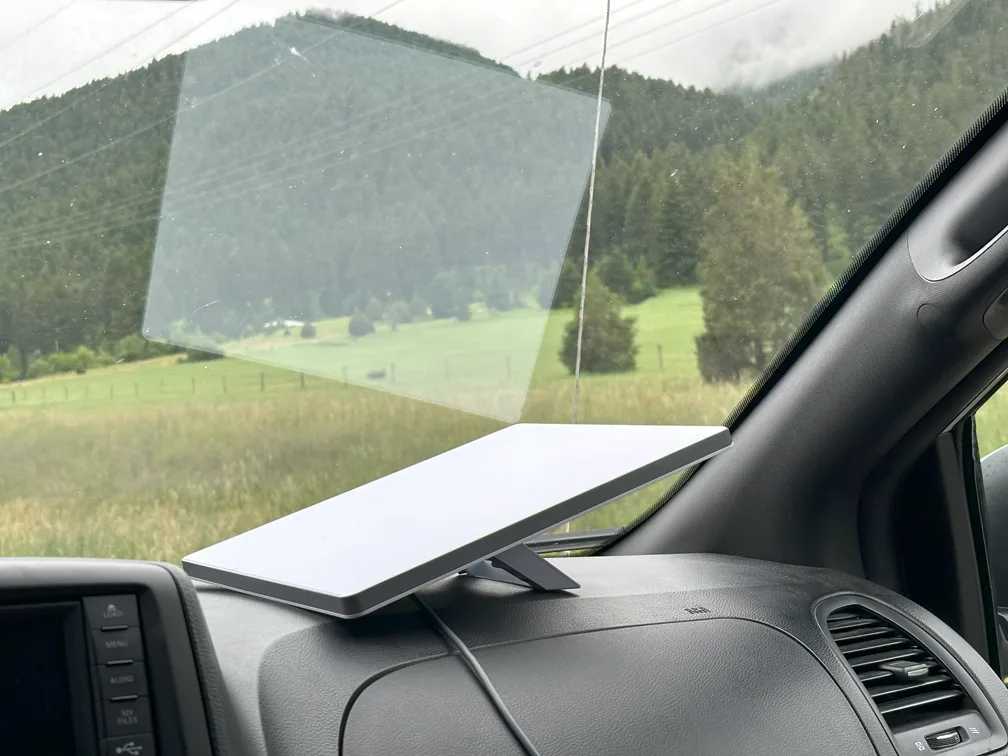
As long as the Starlink Mini has a clear view of the sky and you're moving below 100 Mph, it can stay connected to the Starlink network. | Photo by Morgan McDougal for SatelliteInternet.com
How I tested Starlink Mini while driving
I used my Starlink Mini with different setups in my vehicle, taking it with me to areas where cellular signal was poor or non-existent. For a clean test, I turned off 5G on my mobile phone, with the only internet connection coming from my Starlink network. I also tested with multiple people in the vehicle, with their devices also connected to the Wi-Fi.
To test my connection, I used both my phone and laptop to stream music and live streams. I also tested voice and video capabilities by calling coworkers while on the road. [I was safe and didn't operate my devices while driving on my own.]
Do you need to mount it to use it in the car?
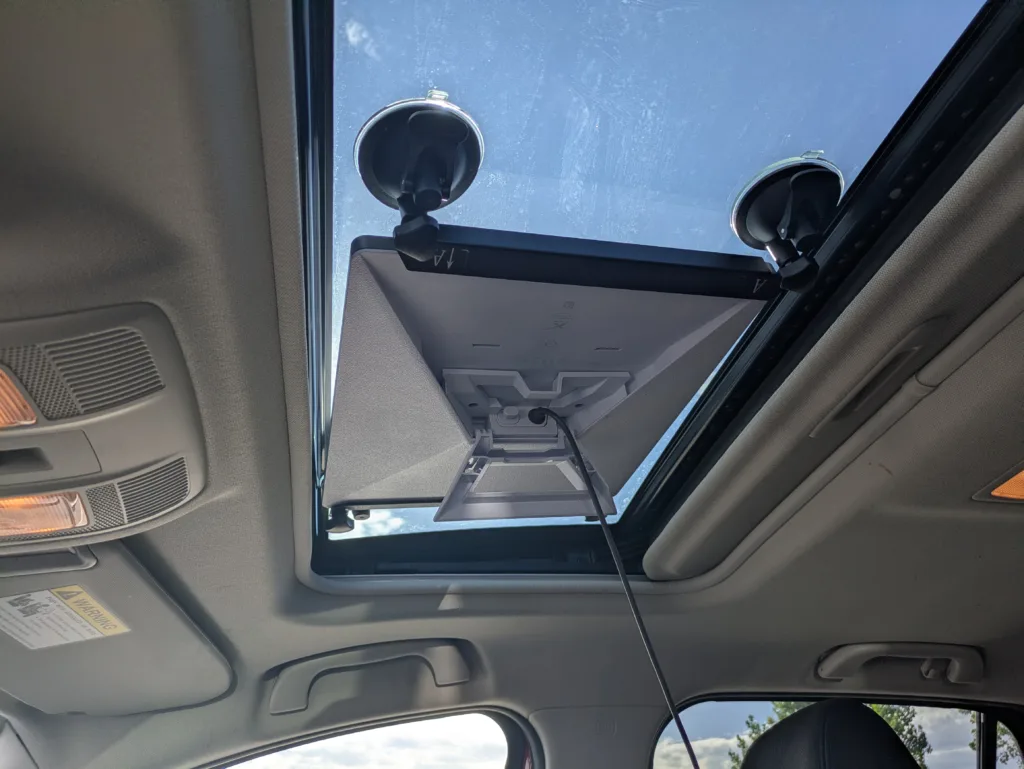
A sunroof mount gave me the best signal while traveling with the Starlink Mini. Pausing beneath obstructions such as car parks or underpasses can disrupt the signal. | Photo by Andreas Rivera for SatelliteInternet.com
At first, I used the Starlink Mini by securing it to my dashboard and pointing it out of the windshield. This was enough to maintain a good connection, with no noticeable interruptions. However, to get the best possible signal, I opted for a suction-cup mount for my vehicle's sunroof, which provided a consistent signal and was less obstructive than leaving it on my dash.
These were my solutions, but there are other options for mounting your dish on the outside of the vehicle, with mounts that attach to bike and cargo racks. There are even permanent mounting options for RVs if you're willing to make modifications.
Powering the Starlink Mini in a moving vehicle
Although the Starlink Mini is super portable, it still needs power. Fortunately, the dish is incredibly energy-efficient, drawing just 20 to 40 watts during active use compared to the Standard dish's 75 to 100 watts. The base kit comes with a 50-foot direct current (DC) cable and standard wall power supply. There's also an optional USB-C and 12V adapter that's sold separately.
The Mini requires a 100W power source that outputs exactly 20V and 5A. A robust power bank (like the Anker 737 I used) can provide about 3 hours of active use. I also used a 12V adapter to tap into my vehicle's power
My Starlink Mini experience
I took the Starlink Mini with me on a brief road trip, securing it to my dashboard and turning off my smartphone's 5G. I was able to stream my music and podcasts while driving on the freeway without interruption. My passengers could also easily connect their phones to the Mini and use the web simultaneously.
For another test, I drove up a mountain canyon road, where most 5G signal cuts out. With the Starlink Mini mounted on my sunroof and pointed directly at the sky, I was able to hold a conversation with my coworker during a Slack huddle. Even with the narrow canyon walls, as long as there's blue sky above, it can communicate with the Starlink satellite network. It also receives great download speeds, with one of my speed tests reaching up to 223 Mbps.
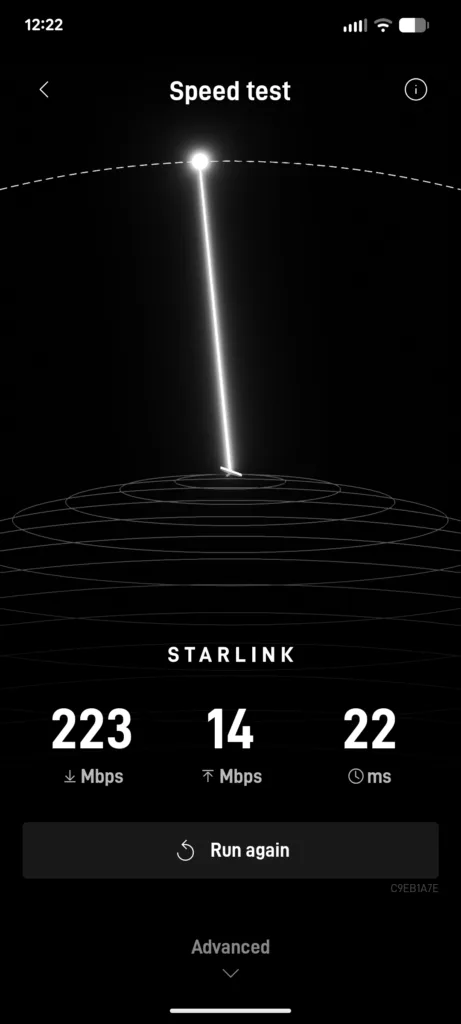
Screenshot of Starlink app
I didn't experience any noticeable cutouts or lag, except when my car was directly below an obstruction, such as a car park roof or tunnels. I didn't notice any dips while driving under overpasses, but if I were stopped under one for an extended period, I'm sure it would eventually cut out. The Mini reconnects very quickly after I move my vehicle out of the car park, so it stands to reason that brief moments under an overpass while moving don't really affect the signal.
Who is the Starlink Mini for?
Whether it's streaming a movie, downloading files, or checking email, the Starlink Mini lets you do anything you can with your home internet connection. Being able to connect to a reliable, high-speed internet signal is a boon for frequent RV travelers. Families, especially young children, can get antsy on long road trips, so providing entertainment can help the driver keep their sanity. It's also essential to stay connected in an emergency; it's the worst nightmare to end up stranded in a remote location with no way to reach help.
Starlink can also be an invaluable tool for businesses and government bodies that operate in rural communities. First responders or utility workers can stay connected when dispatched to remote locations. Cross-country truckers can also put it to good use during their downtime on the job.
Plans | Monthly Price | Download Speed | Data | |
| $55/mo.* | Up to 260 Mbps | 100GB | View plans | |
| $80/mo.* | Up to 260 Mbps | 300GB | View plans | |
| $175/mo.* | Up to 260 Mbps | Unlimited | View plans |

*
Users on Roam 100 GB and Roam 300 GB receive an allotment of high-speed data, then unlimited low-speed data. Standby Mode allows for emergency messaging and easy reactivation in dead zones for a small monthly fee.
The bottom line
The Starlink Mini is a pretty astounding piece of technology that worked better than expected while on the road. It's convenient, affordable, and versatile. Packing one with you, even as an emergency backup, can save you a lot of trouble. It's one of the few options that provide high-speed internet while on the move, nearly anywhere in the country, and it's a must-have for road warriors.
FAQ
Yes, the Mini works with a Starlink Roam plan as long as it has a clear view of the sky. The Starlink Mini is its own router that anyone in the vehicle can connect their devices to.
Since Starlink is a passive internet connection, no law prevents you from using it, much like your phone's 5G signal. As long as the device is not obstructing your view, you're not driving while distracted by your devices, and only passengers are using them, it's okay to connect your Starlink Mini.
Less than 100 Mph. Anything above requires a Starlink Aviation plan.
Starlink Mini can be used by pointing it out a windshield, but for the best performance, it should be attached with a special mount for a sunroof or a roof rack.
Starlink can drain a car battery if left powered on while your car is off, like leaving your headlights on. After stopping, be sure to unplug the Starlink Mini or use an alternative power source to avoid needing a jumpstart.
Heavy storms can weaken the Starlink Mini's signal; however, Starlink has made technological improvements to minimize interference from cloud cover.


 Your Privacy Choices