

Starlink promises to change the landscape for rural gamers who want to jump into fast-paced online matches. Unlike older satellite internet technology that made playing Call of Duty or Fortnite nearly impossible, SpaceX designed its service differently. We looked at the numbers to see if this modern internet provider actually delivers a smooth gaming session for competitive players right out of the box.
Can You Game With Starlink? The Ultimate Guide for Rural Players

 3 min read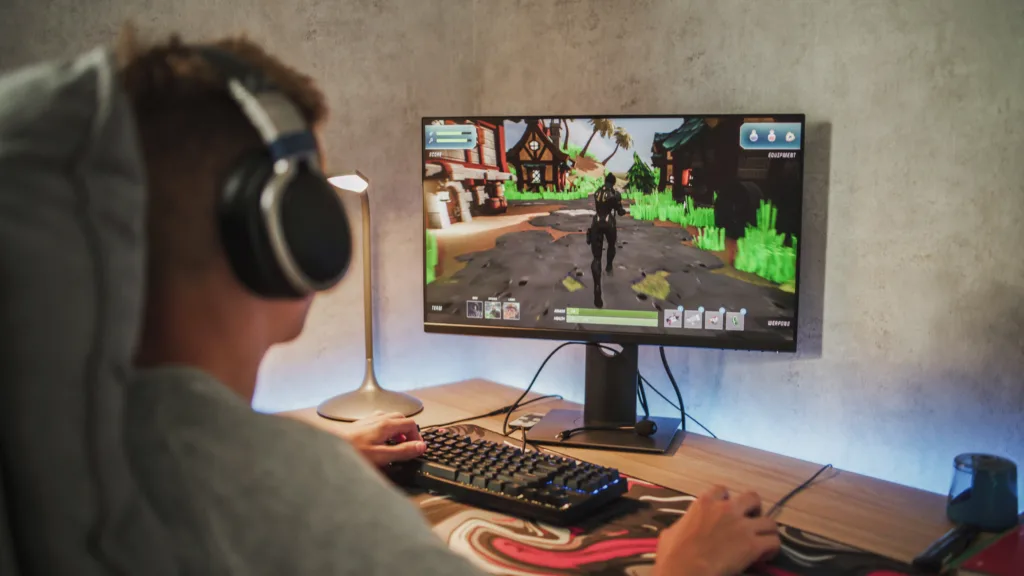
Starlink is one of the few options for playing fast-paced, online competitive video games in rural locations. | Image by iStock
The Magic of Low Earth Orbit
Traditional communications satellites sit in geostationary orbit over 22,000 miles above the Earth. Starlink satellites orbit much closer to our planet at roughly 340 miles up. This significantly lower orbit distance drastically reduces the time it takes for data to travel back and forth. The result is a much more responsive connection that makes dodging attacks in Elden Ring or hitting skill shots in League of Legends feel like you are using a standard cable connection.
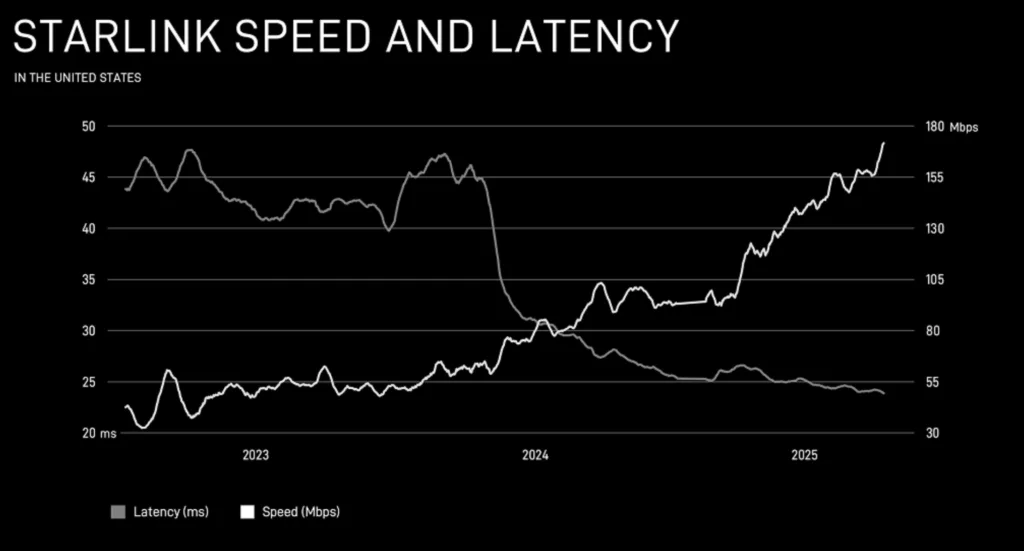
Starlink's low-Earth-orbit satellite constellation is continually growing and improving to reduce latency and boost download speed. | Image by Starlink
Understanding Latency and Ping
Latency is the exact time it takes for a signal to travel from your console or PC to the game server and back. Gamers usually refer to this as ping. High ping leads to lag, where your button presses do not register on the screen immediately. Starlink typically offers latency between 20 and 40 milliseconds. This is well under the 100 milliseconds generally considered the maximum for a playable experience in competitive titles like Valorant or Apex Legends.
Speeds and Unlimited Data
You might be surprised to learn that playing games online does not require blazing fast internet speeds. Most games only need about 3 to 6 Mbps of active bandwidth to run smoothly. Starlink easily provides 50 to 200 Mbps to cover this requirement. Downloading massive modern game updates for titles like Cyberpunk 2077 or Microsoft Flight Simulator is a different story. Starlink handles those large file downloads quickly. The company also removed its priority data cap for standard residential users. You can download enormous files without worrying about hitting a hard monthly data limit.
Recommended Speeds for 2026
Taking Your Games on the Road
Taking your setup on a road trip is highly accessible with Starlink Roam. This mobile plan lets you access the internet from an RV or van anywhere there is active coverage. You should keep in mind that Roam data is deprioritized compared to standard residential data. You might experience slightly slower speeds and higher latency during busy network times. Playing intense matches of Overwatch 2 can be a bit frustrating during peak evening hours on a mobile device.
The Catch with Satellite Gaming
While Starlink easily ranks as the best satellite internet provider for gaming, it is definitely not a perfect system. Players dropping into competitive matches occasionally run into frustrating technical hurdles. Packet loss is one of the most common offenders. This happens when small data bundles fail to reach their destination. You might experience this as sudden "rubberbanding," where your character teleports across the screen, or your carefully aimed shots fail to register entirely.
Another issue is Starlink's lack of static IP addresses. Its protocol of using public IP addresses that are constantly reassigned can make it difficult to connect and stay connected to online lobbies.
Fortunately, you can solve many of these routing issues by upgrading your local hardware. The basic router included in your standard Starlink kit is incredibly easy to set up, but it offers very few advanced networking features to combat lag. The best solution is to put your Starlink system into Bypass mode and connect a dedicated third-party gaming router.
A quality gaming router can prioritize your game data over background downloads to significantly reduce packet loss. It also gives you better control over your local network, helping you navigate around those frustrating IP restrictions.
FAQ
Yes, you can. The low latency provided by low Earth orbit satellites makes fast-paced shooters and fighting games highly playable. This is a massive leap forward compared to older satellite technology.
Standard Starlink residential plans offer unlimited data. You can download large modern games and daily updates without your service being cut off or you being charged overage fees.

 Your Privacy Choices