How to Contact Starlink Customer Service


Andreas Rivera
Feb 12, 2026
Icon Time To Read5 min read

While Starlink satellite internet is designed to be easy to set up and maintain, customers may still encounter issues. Whether it's positioning the dish, experiencing slow speeds or outages, or even navigating the Starlink app, responsive support is always appreciated. 

As stated in our Starlink review, customer service has not been its strong point or priority, but as the internet provider has grown and seen millions of more customers over the years, its made some major improvements to support. This includes faster responses to online tickets and a 24/7 support hotline.
Best option: The Starlink app

We've spoken to Starlink customers who say the best way to contact customer support is through the Starlink app.

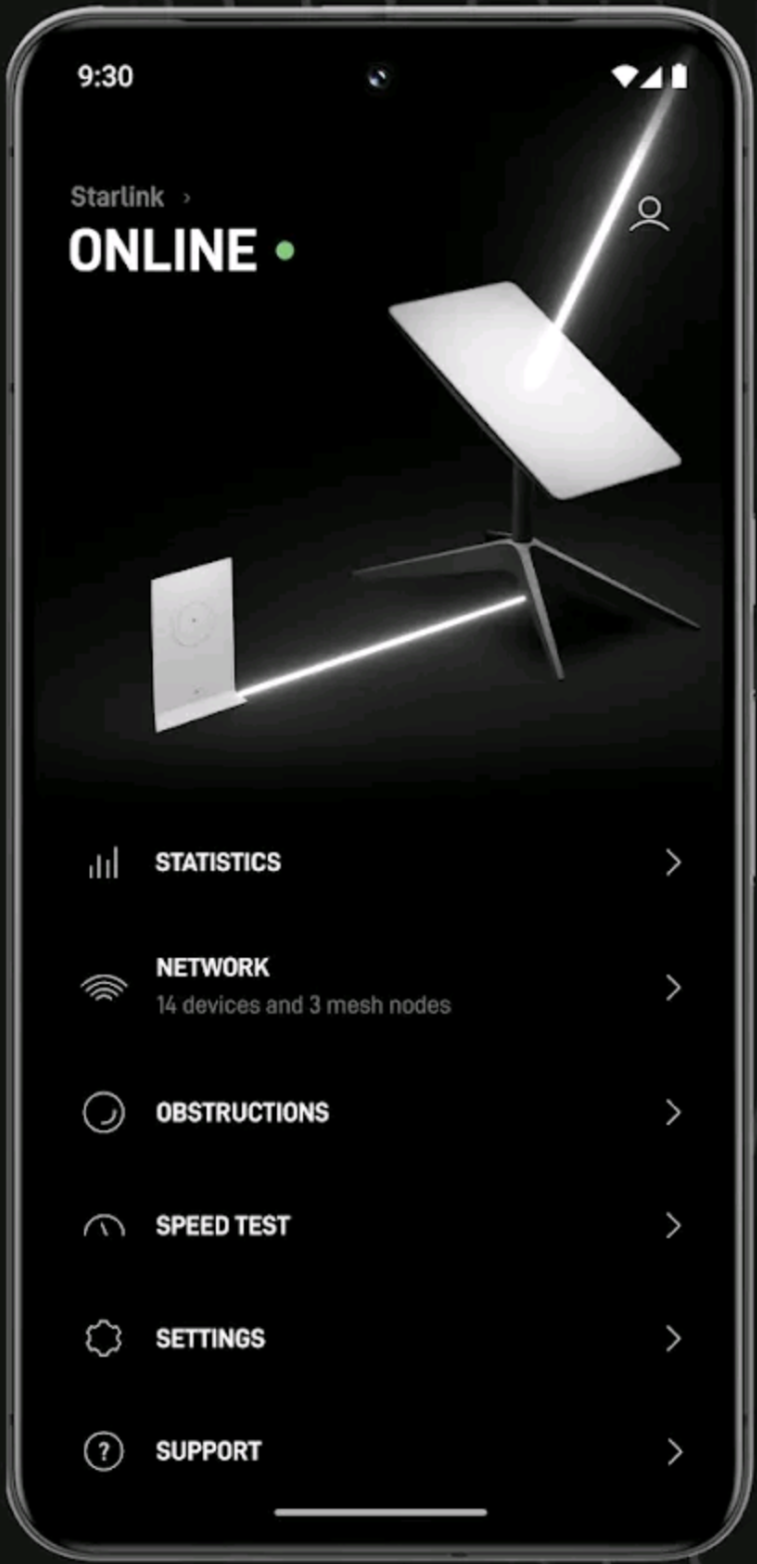
Most customers will already have the app on their devices. But if you don’t, go to your app store and download the Starlink app. It’s free and should download quickly.

Image source: Starlink

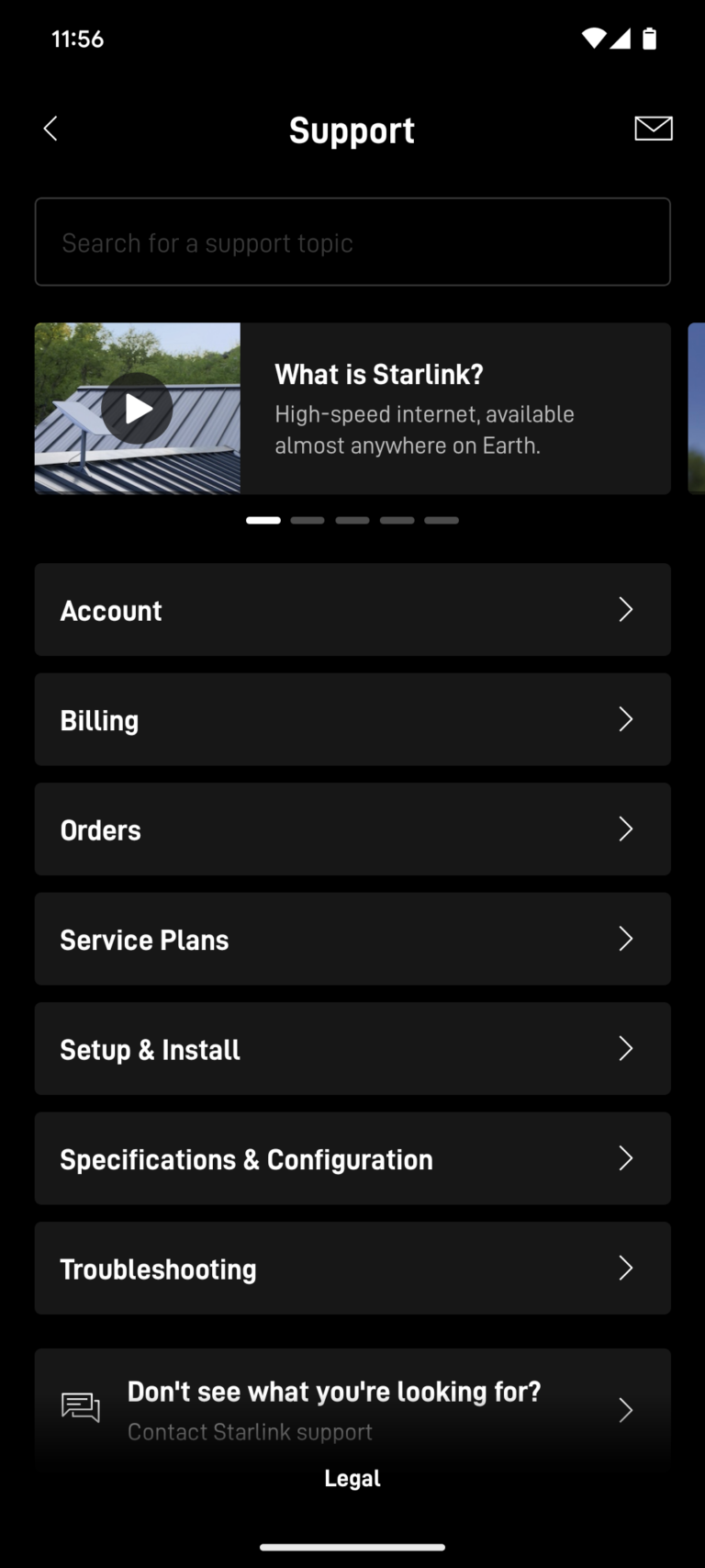
Once you've downloaded the app, open it up and scroll down to the Support tab. Once there, you'll see a list of options, like Orders and Setup & Install. You can click these options to find answers to common questions from Starlink customers.

But if you already know that you want to contact Starlink customer service, scroll down to the bottom and click on the tab that says, "Don't see what you're looking for? Contact Starlink support."

Note: You may see older articles online that say you need to click a specific problem and then click the thumbs-down icon to start a ticket with Starlink customer support, but that is no longer the case. 

Image source: Author’s screenshot of Starlink app support tab

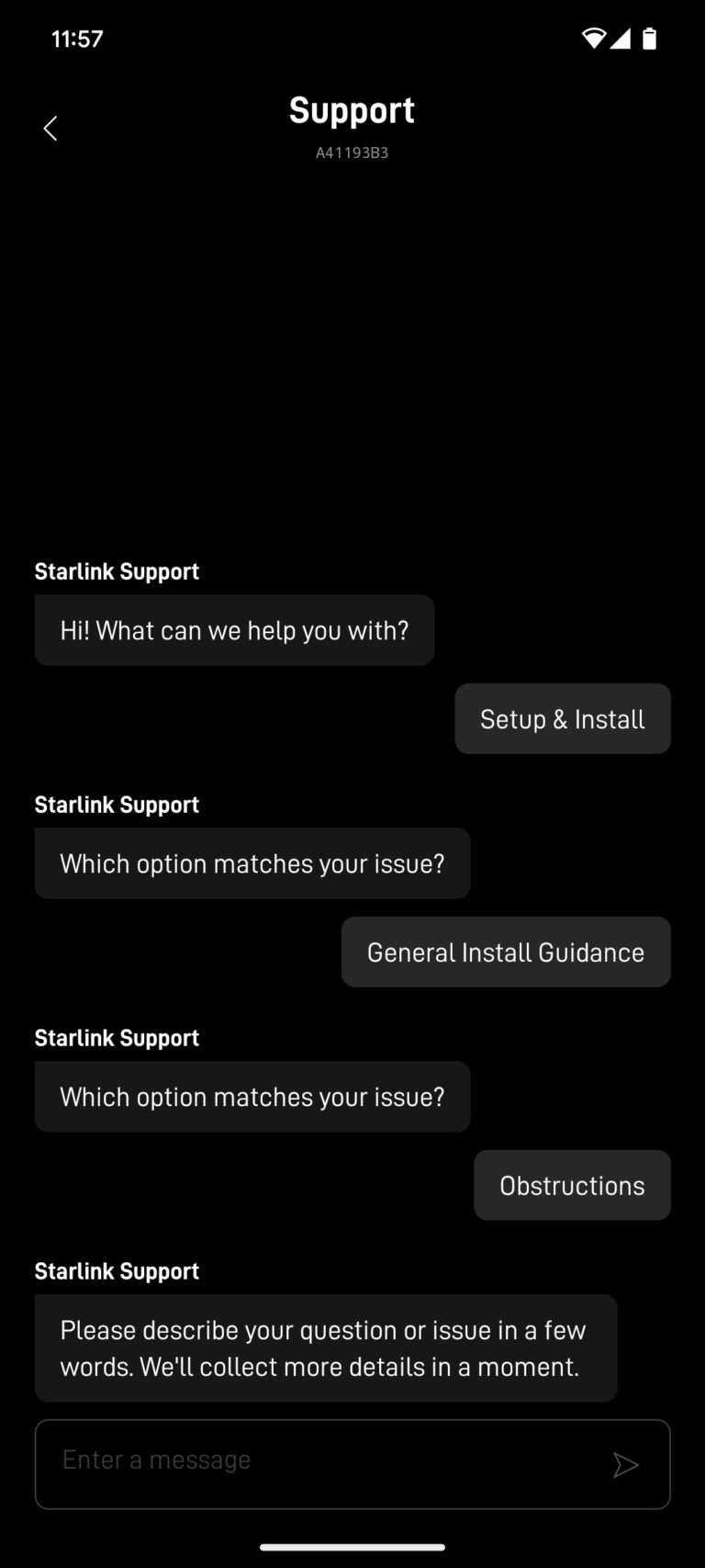
Once you click the Contact Starlink Support tab, you'll be prompted to sign in (assuming you haven't already done so). This can be an issue if you are having problems logging into your account, you may need to take extra steps. 

When you're signed in, you can submit a help request. The form is simple: a subject line and a field to describe your issue. You can also attach an image to explain your problem further.

Once you submit your ticket to Starlink's support team, you should receive a response in a few days. (However, some customers have claimed that it can take up to three weeks!)

Backup option: Contact Starlink through the website

If you don’t have your phone with you or prefer to handle your business on a computer, you can submit a similar support request on Starlink’s website.

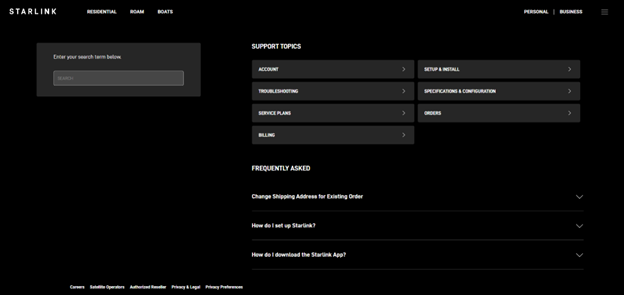
Screenshot of Starlink's customer support web page

Image source: Author’s screenshot of Starlink’s customer support web page

When you go to Starlink.com, you'll see a drop-down menu (three vertical bars) in the upper right-hand corner of the page. Click on it and select Support. From there, you'll be taken to a page with several topics and frequently asked questions.

Here's where things can get a little tricky. Unlike the mobile app, the website doesn't have a button that you can click on to submit a support ticket directly. Instead, you'll need to click the support topic that best matches your issue.

Find the specific subsection that deals with your issue. You might need to reposition your Starlink dish or reset your router. However, if your issue remains unresolved after reviewing the support pages, you can submit a ticket online.

First, you'll need to sign in. (If you can't sign in for whatever reason, go to the section below about emailing Starlink support.) As in the app, the support form is simple: a subject line, a text box, and a photo upload field.

Starlink 24/7 phone support hotline

Starlink has a support hotline in select countries to help customers stay connected. After all, it can be difficult to communicate via the app or website without a reliable internet connection. 

To use the hotline, customers need to use the phone number registered to their Starlink account, or have it on hand. 

The numbers are:

  • US: 1-866-606-5103
  • Canada: 1-888-864-1321 
  • Australia: +611800953804
  • New Zealand: +64800105012 

Email Starlink

Write a short and clear email about your issue and send it to starlinkresolutions@spacex.com. You can attach screenshots or other images to your email to provide more context for your issue. Many users have reported success with this email, but there is no guarantee of success. 

Troubleshooting issues with Starlink yourself

While Starlink offers an incredible service—superfast internet that you can tap into pretty much anywhere on the planet—it doesn't always work as well as you might want. Issues can still arise with Starlink's service, but fortunately, many can be resolved on your own.

Some of the most common issues include slow service, connection drops, and Wi-Fi connectivity problems. We’ll go over a few simple fixes that sometimes work when you’re experiencing these issues.

Diagnosing the problem

One of the first steps when experiencing issues with Starlink internet is to check your internet speed. If your speeds are within your service plan's expectations, your internet connection is likely fine, and the issue may lie elsewhere, such as your computer, web browser, or other equipment.

If your speeds are interrupted frequently, are very slow, or your internet isn’t working at all, then you’ll need to try some fixes. Let’s start with the obvious.

Check Starlink status

Is Starlink down? Sometimes there are system-wide issues with Starlink due to planned outages or unexpected disruptions. Before you go through the trouble of adjusting your equipment or trying to reach customer service, check the unofficial Starlink status site to see if it’s down.

Check your data usage

While Starlink doesn’t have hard data caps that will cut off your service, your data speeds can be deprioritized if you use a lot of bandwidth. Your rate of deprioritization will depend on your plan. This is common among satellite internet providers. Starlink is also unique in that its network capacity varies by location. More Starlink dishes in a certain area means less bandwidth to go around.

So, if you're experiencing slower-than-normal speeds from Starlink, it may be because you're using an abnormal amount of data, or you live in an area where there is a lot of network congestion.

Check your equipment

Many Starlink customers have reported that the most important factor in service quality is the location of their dish. If there are major disruptions (e.g., trees, structures, tarps), your service may become very spotty.

Fortunately, the Starlink app has a great feature that can help you diagnose and resolve issues with obstructions. Once you've logged into the app, click on the Obstructions tab, and you can see a three-dimensional representation of your dish and its connection to satellites. 

You’ll also want to ensure all cables are properly connected, and your router is powered on (a quick reset can sometimes resolve issues).

Weather

Starlink customers know that weather can really affect the strength of their signal. Snow, hail, rain, and wind can disrupt your internet.

Removing snow and excess water from your dish can help strengthen your connection. While most Starlink dishes have a built-in heater, keeping them in a warmer location can help prevent ice and other weather-related issues.

Solving Wi-Fi issues

If your satellite connection appears strong and there are no reported outages, the issue may be with your Wi-Fi network rather than your connection to Starlink satellites.

Please check the power connection on your router. If it’s plugged in and has a power light, try restarting the device. If you’re still unable to connect to the Wi-Fi network, consider contacting Starlink support for a replacement router. Third-party routers are also compatible with Starlink when put into bypass mode. Learn how to use your own router with Starlink here.

Andreas Rivera
Written by
Andreas Rivera is a lifelong writer with a decade-spanning career in journalism and marketing. He comes to SatelliteInternet.com with several years of experience writing about business and technology. His passion for researching the latest advancements in tech, especially the now essential need for reliable internet access, fuels his goal of educating others about how these innovations affect and improve our everyday lives. When not researching and writing about SatelliteInternet.com, you’ll likely find him buried in a good book or enjoying the great outdoors with a fishing rod.